
In this page:
What is the SQL Sentry Portal?
For those of you who don't know, our monitoring platform for your SQL Server targets is SolarWinds SQL Sentry (previously known as SentryOne).
One of its newest features is a web-based portal where the performance analysis data can be viewed.
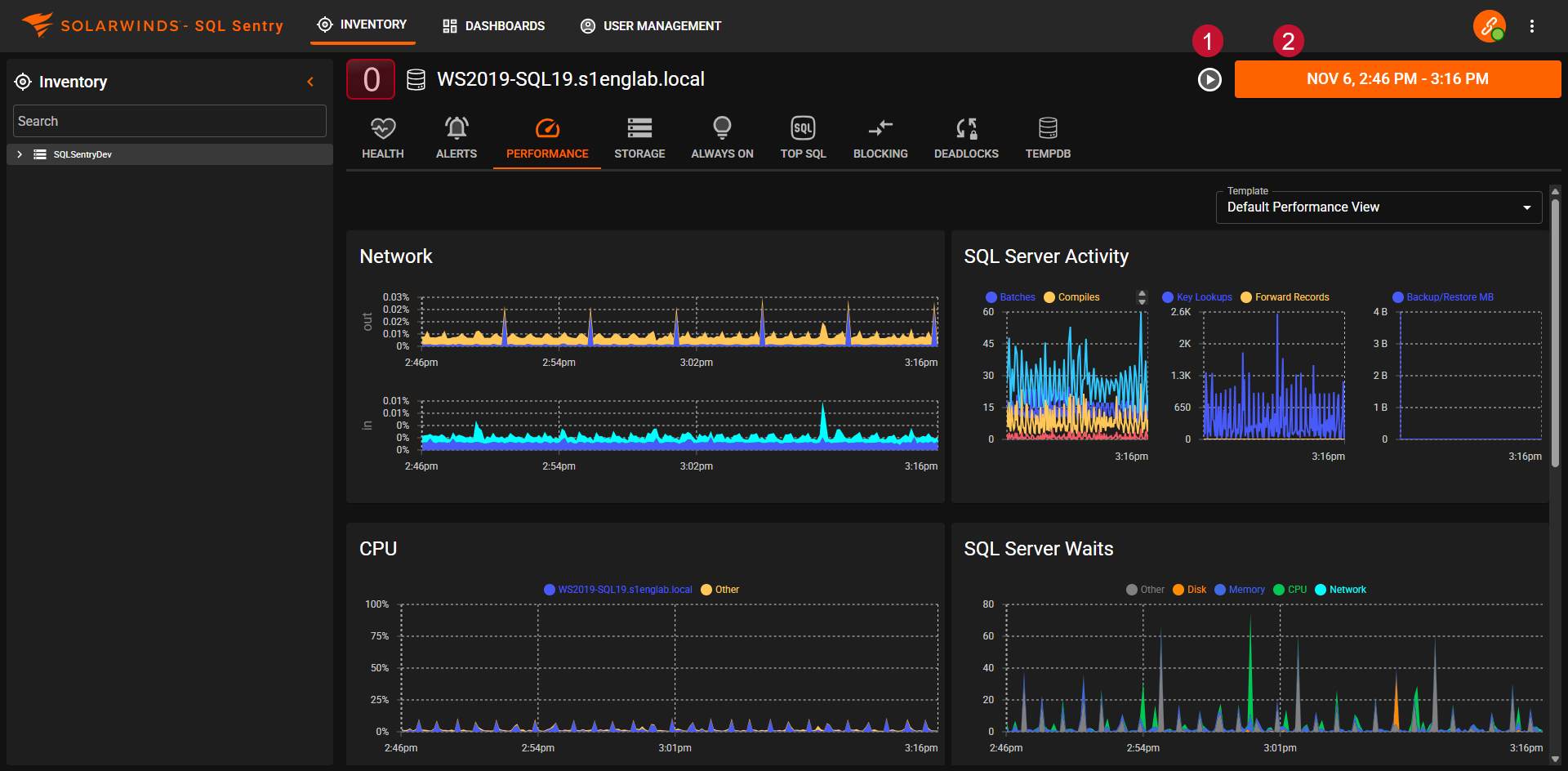
You'll be able to view your server's Health, Performance Analysis, Top SQL, Blocking SQL, Deadlocks, TempDB performance, and more.
You can find more details about it in the official SQL Sentry documentation here.
You can also view and create your own Custom Dashboards, with even more performance metrics that can be exposed.
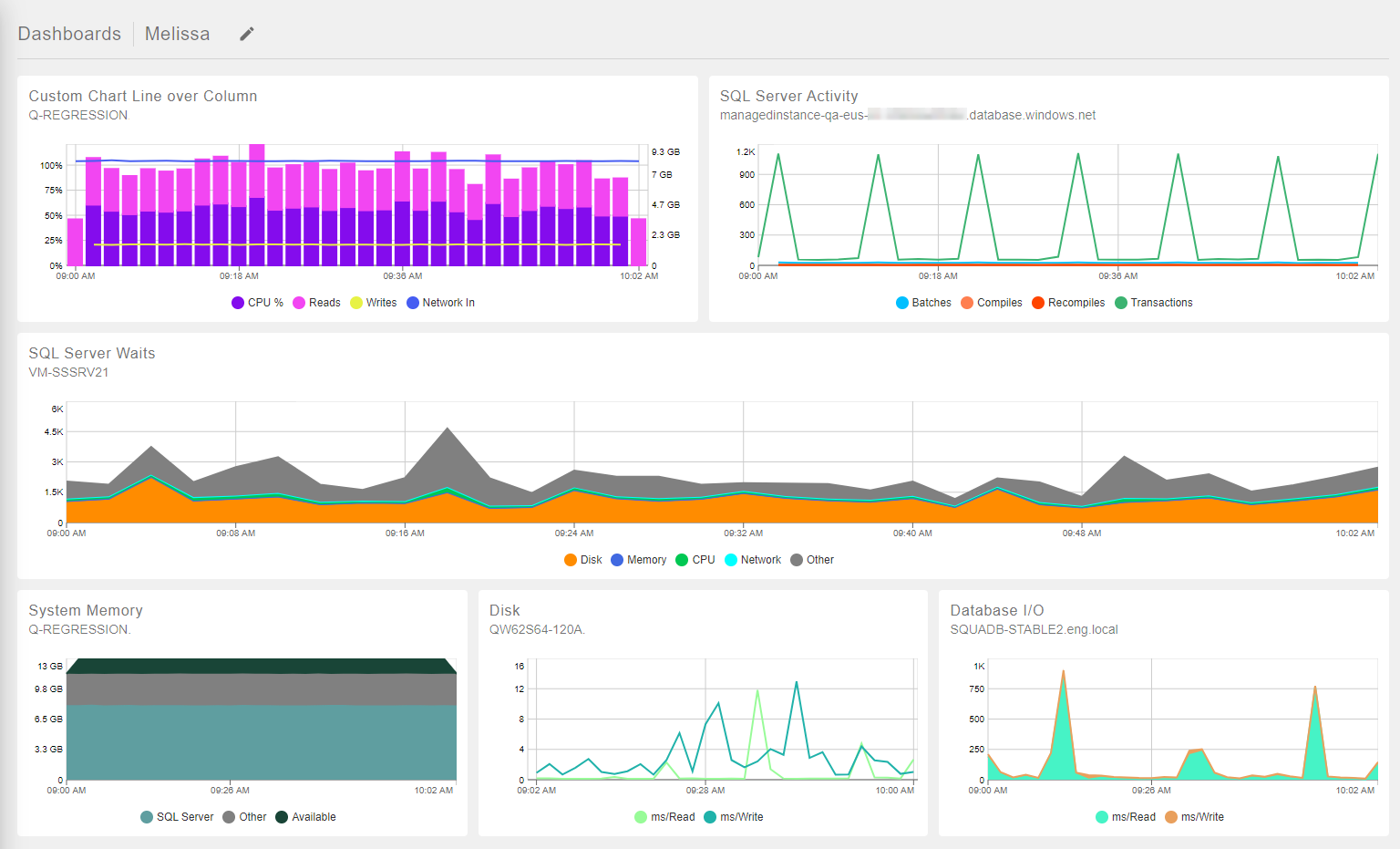
You can find more details about Custom Dashboards in the official SQL Sentry documentation here.
How can I access the DBSmart SQL Sentry Portal?
The portal is available at the address below:
However, in order to access it, you will need to have a portal username and password.
IMPORTANT:
- This is NOT the same user and password that you normally use for our support portal.
- The SQL Sentry Portal currently does not support browsing via mobile devices or any non-Windows machines.
If you don't yet have a portal user, please fill out our new DBSmart Self-Service Form which can be found at the address below:
You can use this form to create a new user or to reset the password of an existing user.
These requests will reach our team, and we will send you the necessary details as soon as possible.
IMPORTANT: When entering your E-mail address, please be sure to use the same e-mail address that you use when logging into our Support Portal. This will make it much easier for us to validate your details.
Comments
0 comments
Please sign in to leave a comment.